
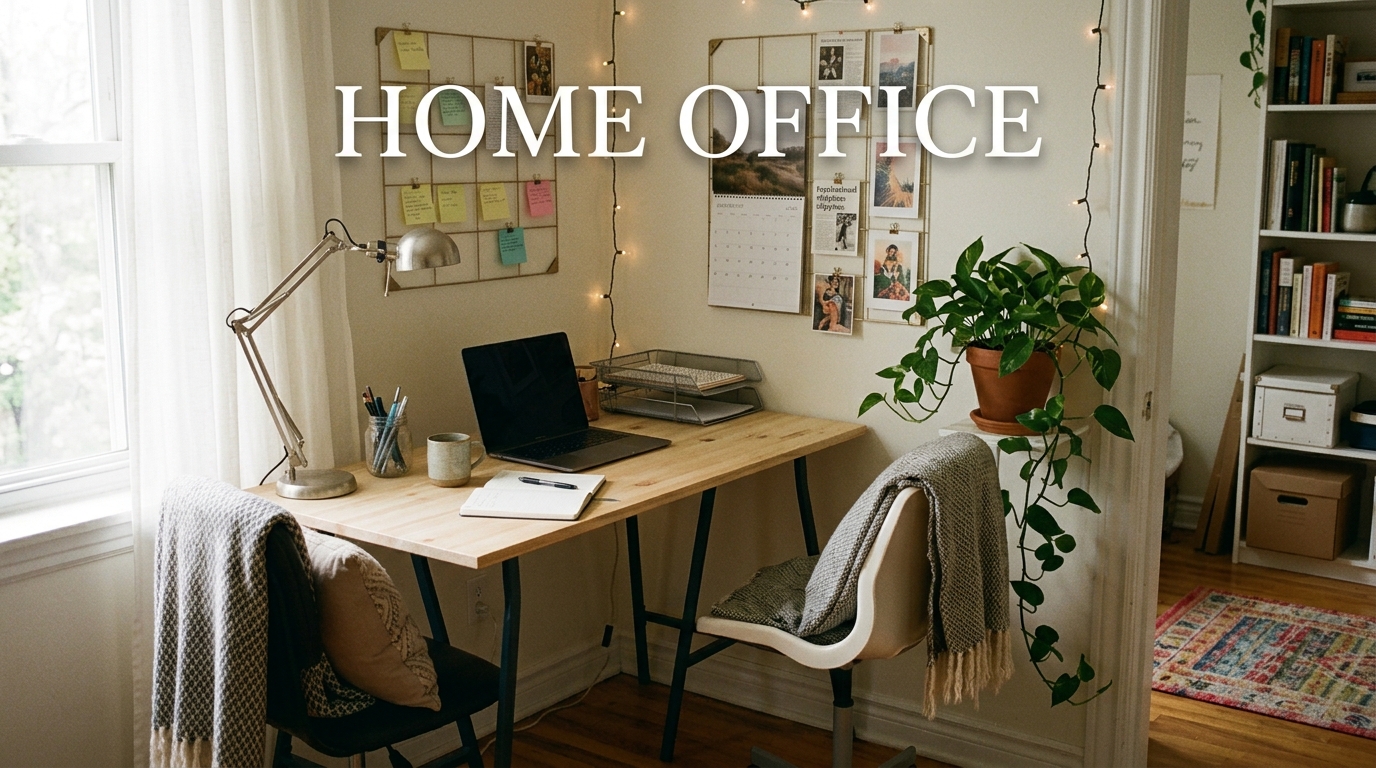
Working from home has become the new norm for many of us, but creating a productive workspace doesn’t have to break the bank. Setting up a home office on a budget is not only possible, but it can also be a fun and creative challenge. By making smart choices and thinking outside the box, you can design a functional and inspiring workspace without spending a fortune. In this blog post, we’ll explore practical tips and tricks to help you create a budget-friendly home office that meets your needs and boosts your productivity. So, let’s roll up our sleeves and get ready to transform a corner of your home into a stylish and efficient workspace without emptying your wallet.
Choosing the Right Space
Choosing the right space for your home office is crucial for productivity and comfort. Look for a quiet area with natural light if possible, as this can boost mood and energy levels. Consider the layout of the room and ensure there is enough space for your desk, chair, and storage units. Additionally, think about factors like noise levels, privacy, and access to power outlets. A dedicated space away from distractions can help you focus and maintain a work-life balance. Remember, the right space sets the foundation for a successful home office setup.
Essential Furniture and Equipment
Investing in essential furniture and equipment is key to creating a functional home office. Start with a comfortable and ergonomic chair to support your posture during long hours of work. A spacious desk with ample storage will help you stay organized and efficient. Consider the technology you need, such as a reliable computer, printer, and good lighting. Proper equipment not only enhances productivity but also contributes to a professional work environment. Choose quality pieces that align with your workflow and style to create a productive and inspiring workspace.
Choosing the Right Space
When setting up your home office, selecting the right space is crucial for productivity and comfort. Look for an area with good natural light, adequate ventilation, and minimal distractions. Consider proximity to amenities like power outlets and a stable internet connection. Additionally, ensure the space is separate from high-traffic areas to maintain focus during work hours. Customizing your workspace to fit your needs and preferences will help create a conducive environment for work.
Essential Furniture and Equipment
Investing in essential furniture and equipment is key to optimizing your home office setup. A comfortable desk and chair are fundamental for long hours of work, while storage solutions like shelves or cabinets help keep the space organized. Equip your office with necessary tools such as a reliable computer, printer, and stationery. Consider ergonomic accessories like keyboard trays and monitor stands to promote good posture and reduce strain. By selecting quality furniture and equipment, you can enhance efficiency and productivity in your home workspace.

Organizational Tips
Organizing your home office is crucial for productivity and efficiency. Start by decluttering your workspace regularly to eliminate distractions and create a clean environment. Utilize storage solutions such as shelves, bins, and drawer organizers to keep your supplies and files in order. Develop a system for organizing your paperwork, whether it’s through color-coding, labeling, or digital filing. Make use of desk accessories like trays and pen holders to keep frequently used items within reach.
Creating Zones
Designate specific areas within your home office for different tasks to establish a sense of structure. Have a dedicated workspace for your computer and writing tasks, a separate area for meetings or calls, and a cozy corner for reading or brainstorming. By creating zones, you can better focus on the task at hand and avoid mixing work-related items with personal belongings. Consider using room dividers or rugs to visually separate different zones within the space.
Lighting and Decor
Lighting: Proper lighting is essential for creating a productive and inviting workspace. Consider a mix of natural light and artificial lighting sources to reduce eye strain and boost mood. Position your desk near a window to maximize natural light, and supplement with task lighting such as desk lamps for focused work.
Decor: Personalize your home office with decor that inspires creativity and productivity. Choose a color scheme that promotes concentration and relaxation, such as calming blues or energizing greens. Incorporate plants to purify the air and add a touch of nature to your space. Artwork, motivational quotes, or a vision board can also help create a positive and motivating work environment.
Budget-Friendly Tech Solutions
Upgrade Your Workspace Without Breaking the Bank
Setting up a functional and efficient home office doesn’t have to drain your wallet. Embracing budget-friendly tech solutions can help you create a productive work environment without compromising on quality. One cost-effective option is to invest in refurbished electronics or opt for open-source software to save on licensing fees. Consider using cloud-based services for storage and collaboration, eliminating the need for expensive hardware upgrades. Additionally, explore free productivity tools and apps that can streamline your workflow and boost efficiency without added expenses.
Budget-Friendly Tech Solutions
Maximizing Efficiency with Affordable Tech Tools
In today’s digital age, incorporating budget-friendly tech solutions into your workspace can significantly enhance productivity without breaking the bank. Consider utilizing free project management tools like Trello or Asana to streamline tasks and deadlines, ensuring smooth workflow coordination among team members. Additionally, cloud storage services such as Google Drive or Dropbox offer secure and accessible file sharing, eliminating the need for expensive physical storage solutions.
Enhancing Communication with Low-Cost Software
Communication is key in any business setting, and investing in affordable communication software like Slack or Skype can revolutionize team collaboration. These platforms facilitate instant messaging, video conferencing, and file sharing, promoting seamless communication even for remote teams. Furthermore, utilizing open-source software alternatives for common office applications, such as LibreOffice or GIMP, can save costs on licensing fees while providing essential functionalities for day-to-day operations.