
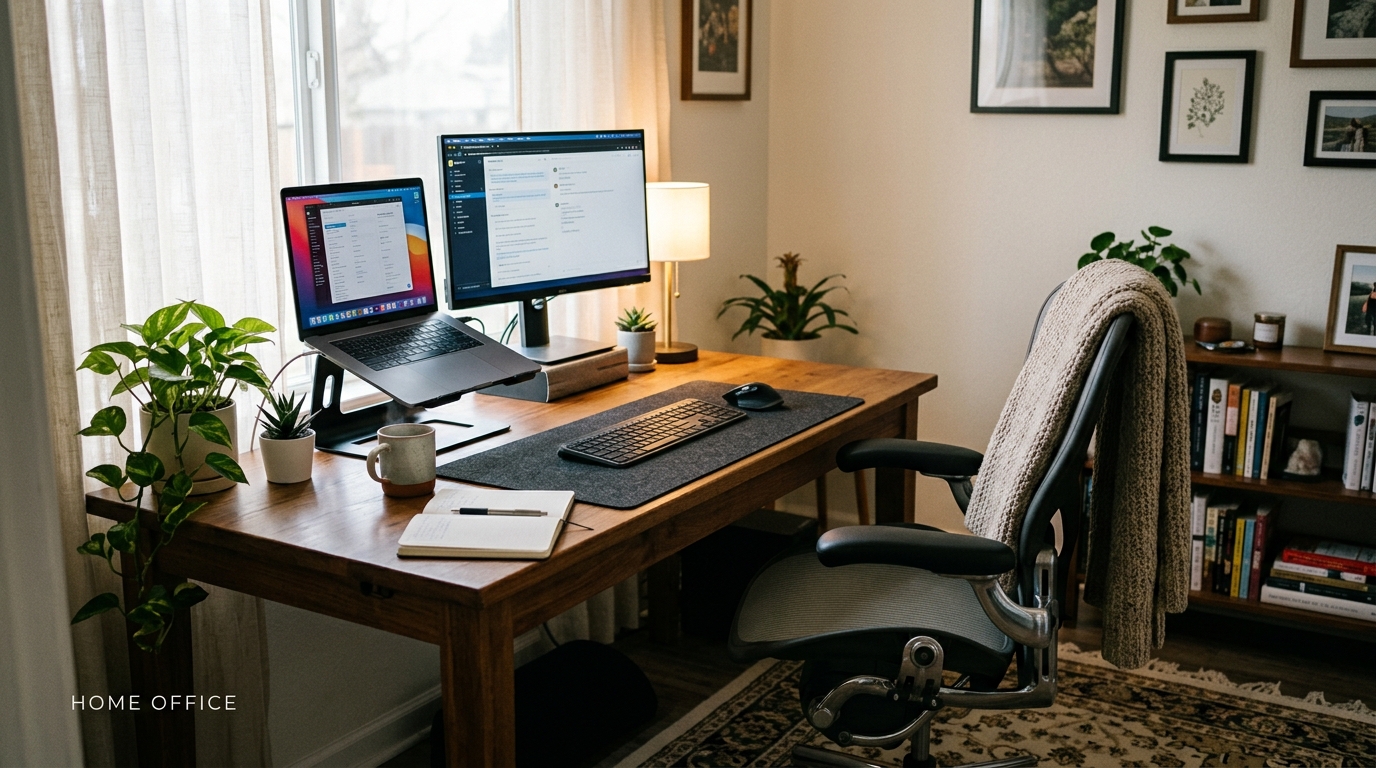
Working from home has become the new norm for many of us, but let’s be honest – sitting on the couch with a laptop on your lap isn’t exactly the most ergonomic or productive setup. If you’re ready to upgrade your work from home game and create a comfortable and effective workspace, you’ve come to the right place. Designing a workspace that promotes focus, comfort, and productivity is key to thriving in a remote work environment. From choosing the right chair to setting up proper lighting, we’ll explore practical tips and tricks to help you create a work from home setup that will make you feel like a boss. Let’s transform your home into a space where work meets comfort and efficiency!
Choosing the Right Workspace
Creating an ideal workspace starts with selecting the right spot in your home or office. Look for a quiet area with minimal distractions to enhance your focus and productivity. Consider natural light sources and good ventilation to create a pleasant working environment. Choose a space that allows you to separate work from personal life, promoting a healthy work-life balance.
Selecting the Best Furniture
Choosing the right furniture is crucial for a comfortable and ergonomic workspace. Invest in a quality desk and chair that support good posture and reduce strain on your body. Ensure your furniture fits the space well and provides ample storage for your work essentials. Consider adjustable options to customize the setup to your needs, promoting better productivity and overall well-being.
Setting Up Proper Lighting
Good lighting is essential for a productive workspace. Natural light is ideal, so try to position your desk near a window if possible. If natural light is limited, invest in a quality desk lamp with adjustable brightness and color temperature. Avoid glare on your computer screen by placing the light source behind or beside you. Consider adding ambient lighting, such as overhead lights or floor lamps, to create a well-lit environment. Proper lighting not only reduces eye strain but also enhances focus and productivity.
Managing Cables and Wires
Keeping cables and wires organized is crucial for a clean and efficient workspace. Use cable management solutions like cable clips, ties, or sleeves to keep cords neatly tucked away and prevent tangling. Label cables to easily identify which cord belongs to which device. Consider investing in a power strip or surge protector to centralize power sources and reduce clutter. Keep excess cables out of sight by using cable management trays or boxes under your desk. By maintaining a tidy cable setup, you can improve the aesthetics of your workspace and minimize distractions.

Setting Up Proper Lighting
Proper lighting is essential for a productive workspace. Natural light is ideal, so position your desk near a window if possible. If natural light is limited, consider investing in a quality desk lamp with adjustable brightness and color temperature settings to reduce eye strain. Avoid harsh overhead lighting that can cause glare on your screen. Additionally, ensure that your lighting is evenly distributed to prevent shadows and create a comfortable work environment.
Organizing Your Workstation
An organized workstation can enhance your focus and efficiency. Start by decluttering your desk and only keeping essential items within reach. Utilize storage solutions such as shelves, drawers, and desk organizers to keep supplies neatly arranged. Categorize items based on frequency of use to prioritize accessibility. Implement a filing system for documents and cables to maintain a clean and tidy workspace. Regularly declutter and organize your workstation to promote a sense of order and productivity.
Managing Cables and Wires
Effective cable management is crucial in maintaining a clean and organized workspace. Start by identifying all the cables and wires you need for your devices and equipment. Use cable ties, clips, or cable sleeves to group and secure cables together, preventing tangling and reducing clutter. Consider investing in cable management solutions like cable trays or under-desk cable organizers to keep cables hidden and out of the way. Labeling cables can also help you easily identify and trace them when needed. Regularly check and adjust your cable management system to accommodate any new devices or changes in your setup.
Creating a Productive Routine
Establishing a productive routine is essential for maintaining focus and efficiency while working from your home office. Start by setting specific work hours to create a sense of structure and routine. Prioritize your tasks and break them down into manageable chunks to avoid feeling overwhelmed. Take regular breaks to prevent burnout and maintain productivity throughout the day. Incorporate healthy habits like exercise, proper nutrition, and adequate sleep into your daily routine to support your overall well-being and performance. Experiment with different productivity techniques and tools to find what works best for you and helps you stay on track with your work goals.
Creating a Productive Routine
Establishing a structured routine is crucial for staying focused and productive while working from home. Start your day by setting clear work hours and breaks to maintain a healthy work-life balance. Prioritize tasks based on deadlines and importance, and allocate specific time blocks for each task to enhance efficiency. Incorporate regular short breaks to avoid burnout and maintain mental clarity throughout the day.
Additionally, create a designated workspace within your home to signal the start and end of your workday. Dressing professionally, even if you’re at home, can help shift your mindset into work mode. Finally, end your day by reviewing what you’ve accomplished and setting goals for the next day, ensuring a smooth transition between work hours and personal time.
Incorporating Personal Touches
Adding personal touches to your workspace can enhance comfort and motivation while working from home. Customize your workspace with items that inspire you, such as plants, photos, or meaningful decor. Incorporate elements that reflect your personality and interests to create a space that feels uniquely yours.
Furthermore, consider implementing ergonomic furniture and accessories that prioritize your physical well-being, such as a supportive chair or a standing desk. Creating a workspace that aligns with your preferences and style can boost your mood and overall satisfaction, leading to increased productivity and creativity in your remote work environment.
Incorporating Personal Touches
Personal touches can make a significant difference in your workspace, adding comfort and inspiration to your surroundings. Consider adding items that reflect your personality, such as photos, artwork, or plants. These elements can create a more inviting and personalized space where you feel motivated and at ease.
Choose decorations that bring you joy and make you feel connected to your workspace. Whether it’s a favorite quote framed on the wall or a cozy blanket draped over your chair, these personal touches can enhance your overall work environment and boost your productivity.